

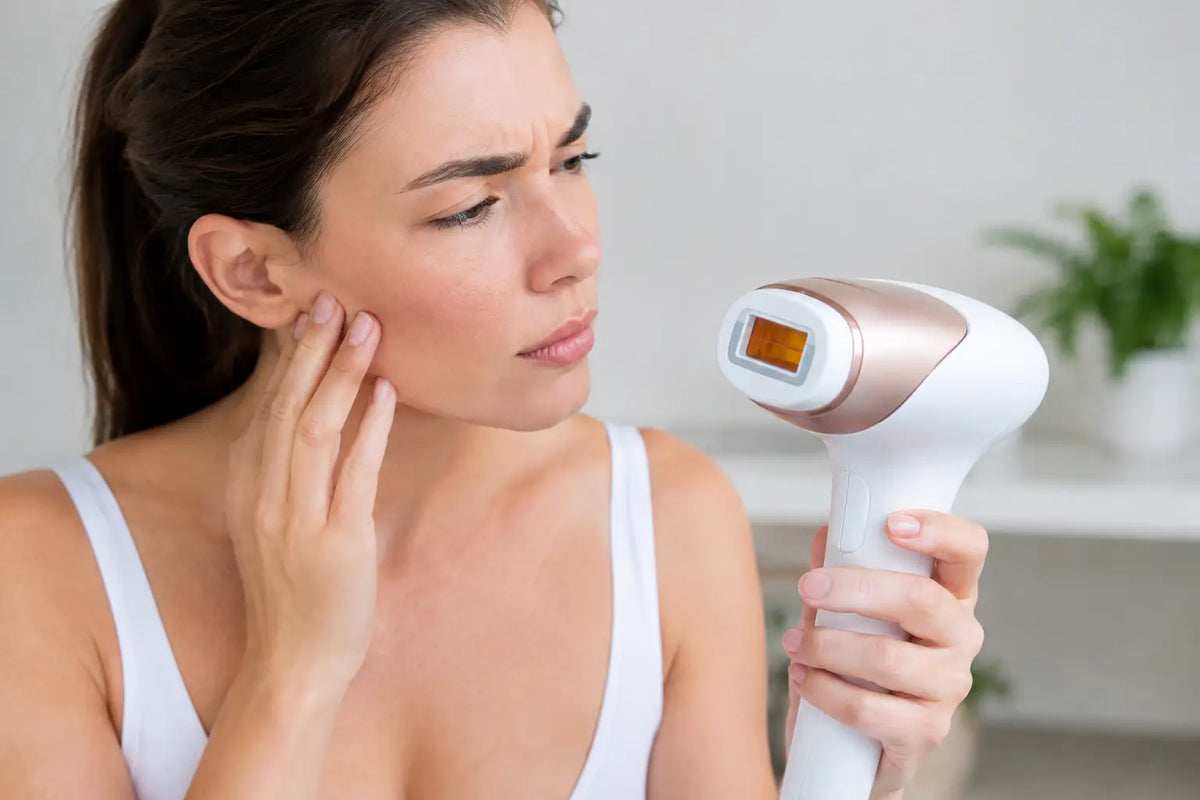
A treatment session should feel simple: shave, place the device against your skin, and flash. So when nothing happens, it is natural to wonder why IPL flashes not working and whether your device is broken. The good news is that most no-flash moments are not a device failure. They are built-in safety features doing exactly what they are designed to do.
At-home IPL devices need the right skin contact, a clear flash window, sufficient power, and a compatible treatment area before they release light. Work through the checks below before assuming the device needs replacing.
Why IPL Flashes Not Working: The Most Common Reasons
The device is not making full skin contact
This is the most common reason an IPL device will power on but refuse to flash. Most devices use a skin-contact sensor that prevents accidental flashes into the air or toward your eyes. If the treatment window is not sitting flat and fully against the skin, the flash will not trigger.
Try holding the device flush to the area rather than treating at an angle. Curved zones, such as ankles, knees, underarms, and the bikini line, can be trickier because it is harder for the window to touch the skin evenly. Reposition the device a little at a time until the entire treatment window has contact.
Avoid pressing so hard that the treatment feels uncomfortable. The goal is complete, even contact, not force.
The skin-tone sensor is blocking the flash
IPL works by targeting pigment in the hair follicle. Because of that, many devices include a skin-tone sensor that blocks a flash when the skin is too dark for the selected energy level or when the treatment area is not suitable for IPL.
This is a safety feature, not a flaw. Do not try to bypass it, cover the sensor, or force a flash. Instead, check your device instructions for skin-tone compatibility and make sure you are using the recommended intensity. A lower setting may be appropriate for your skin tone, but only use settings approved in your device guide.
Recent sun exposure can also change how the sensor reads your skin. If you have a tan, sunburn, or noticeably darker skin from time outdoors, pause treatment until your skin has returned to its usual tone. This helps protect your skin and gives the device the conditions it needs to work as intended.
You are trying to treat an area IPL should not treat
At-home IPL is designed for specific body areas and skin surfaces. It should not be flashed over tattoos, very dark spots, moles, open cuts, irritated skin, or heavily pigmented areas. These areas can affect the sensor reading and are not appropriate places to treat.
If you are treating the face, use extra care and follow the device-specific directions on facial use. Never flash close to the eyes, on the eyelids, or on the eyebrows. For hormonal facial hair or a new change in hair growth, speak with a healthcare professional if you have concerns before building a treatment routine around it.
The flash window is dirty or blocked
A clear treatment window matters. Makeup, body lotion, deodorant residue, oil, loose hair, and dust can interfere with skin contact or prevent the light from passing through properly. Before treatment, skin should be clean, dry, and free of product.
Turn the device off and allow it to cool before cleaning it. Use the cleaning method in your device manual, usually a soft, dry cloth or the manufacturer-approved wipe. Never use harsh cleaners, abrasive materials, or excessive liquid around an electronic device.
It also helps to shave the treatment area first. IPL is most effective when the hair is shaved at skin level because the light can focus beneath the surface rather than singeing long visible hair. Waxing, tweezing, or epilating immediately before treatment removes the follicle target IPL needs.
The device needs charging or has not fully started
A low battery can affect performance. Some devices will turn on but will not flash consistently until they are adequately charged. Others are designed to work only while connected to power. Check whether your model needs to be charged, plugged in, or both before starting.
Give the device a moment to power up after switching it on. Look for the readiness indicator specified in the instructions. If you press the flash button before the device is ready, it may not respond. If your model uses a manual flash button, make sure it is fully pressed after the device is flat against the skin.
If it still does not turn on or hold a charge after using the proper cable and outlet, stop troubleshooting and contact the seller or manufacturer for support.
Check Your Flash Mode Before You Assume Something Is Wrong
Many IPL devices have two ways to treat: manual flash mode and glide mode. In manual mode, you press the flash button for each individual pulse. In glide mode, the device may flash automatically only while it senses continuous, complete skin contact.
That difference can be confusing. If glide mode seems unresponsive, move the device slowly and steadily across the skin while keeping the window flat. Moving too fast, lifting the device between flashes, or passing over a curved area can interrupt contact and stop the flashes.
For small or contoured areas, manual mode is often easier. It gives you more control over placement and lets you confirm full contact before each flash.
Let an Overheated IPL Device Rest
IPL devices generate heat during use. After a series of flashes, some models automatically pause to protect the device from overheating. You may notice that the power stays on but the flash temporarily stops.
Give it time to cool in a dry, well-ventilated place. Do not place it in the refrigerator, run it under water, or continue pressing the flash button repeatedly. Once it has cooled, try again according to the device instructions.
A short cool-down is normal during longer sessions, especially when treating larger areas like legs. The best approach is to work methodically rather than rushing. Smooth skin is the goal, but safe, consistent sessions get you there better than trying to finish everything at once.
A Quick No-Flash Checklist
Before your next session, check these basics:
- Charge the device fully or connect it to power if your model requires it.
- Start with clean, dry, freshly shaved skin with no lotion, deodorant, or self-tanner.
- Clean the treatment window only when the device is off and cool.
- Place the flash window flat against a compatible area of skin.
- Confirm the intensity level and flash mode are appropriate for your device and skin tone.
- Pause if your skin is tanned, sunburned, irritated, or recently treated with a product that increases sensitivity.
When a No-Flash Issue Needs Support
Stop using the device and ask for help if you notice a cracked flash window, a burning smell, unusual heat, damaged wiring, repeated error lights, or a device that will not power on. Never open an IPL device yourself. Light-based beauty devices contain electronic components that should only be assessed by qualified support teams.
Keep your order details, the device model, and a short description of what happens when you try to flash. Mention whether the device powers on, whether any indicator lights appear, and whether the issue happens on every compatible body area. That makes it easier to get the right answer quickly.
A no-flash moment does not have to derail your self-care routine. With clean skin, full contact, the right settings, and a little patience around safety sensors, your at-home IPL session can get back to feeling fast, comfortable, and beautifully low-maintenance.


Leave a comment
This site is protected by hCaptcha and the hCaptcha Privacy Policy and Terms of Service apply.